Ren'Py Magic for VSCode
A Visual Studio Code extension that adds rich language support for the Ren’Py visual novel engine.
I originally made this for myself after running into a few small annoyances with existing extensions — mainly wanting to jump to labels in current file, check whether an image reference actually exists, and jump to image definitions with F12.
I kept adding things as I needed them while working on projects, and over time it just grew into something more complete. It’s still very much shaped by what I personally find useful, but it might be helpful to others too. It's powered by a proper language server (LSP), which makes features like navigation, diagnostics, and completions more consistent and reliable.
🚀 Installation
Install Ren'Py Magic from VSCode Marketplace
Or search for "Ren'Py Magic" in your Visual Studio Code Extension tab.
✨ Features
🎨 Syntax Highlighting
- Full highlighting for
.rpyand.rpymfiles - Supports:
- Ren’Py script syntax
- ATL (Animation and Transformation Language)
- Embedded Python blocks
- Highlights string interpolation and text tags inside dialogue
📖 Hover Documentation
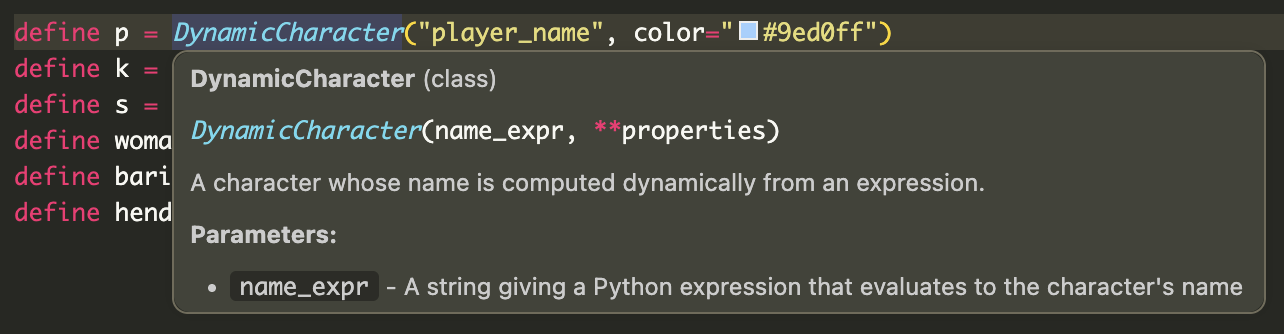
- Hover over keywords, functions, and classes to view inline documentation
- Covers 730+ API entries sourced from official Ren'Py docs:
| Category | Examples |
|---|---|
config.* |
config.name, config.screen_width |
gui.* |
gui.text_color, gui.show_name |
build.* |
build.name, build.directory_name |
| Actions | Jump, Call, Show, Hide |
| Style properties | background, padding, color |
| Transform properties | xpos, ypos, zoom, alpha |
Also includes:
- Classes and transitions (
Transform,Dissolve,Fade, etc.) - Full support for dotted names (e.g.
config.name)
Image preview
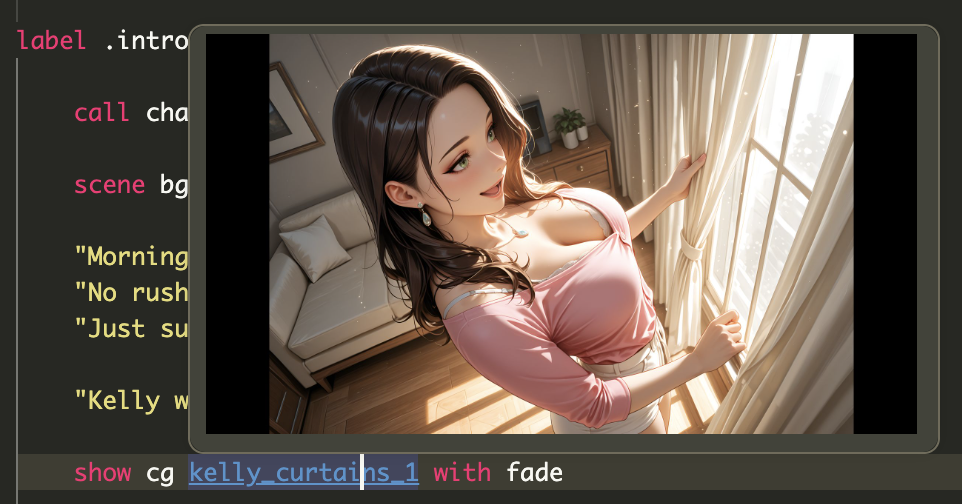
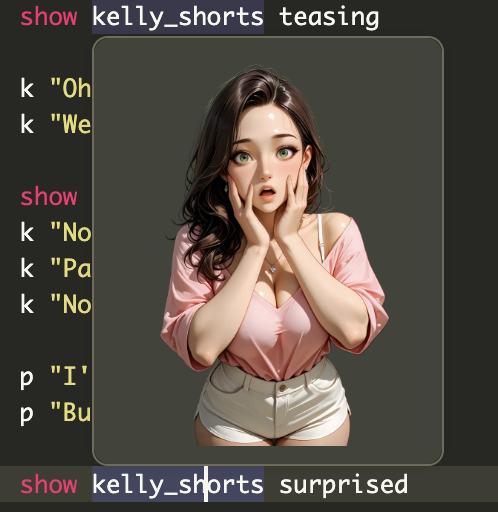
Image preview on hover — hover over show or scene statements to see a preview of the referenced sprite, scene or CG.
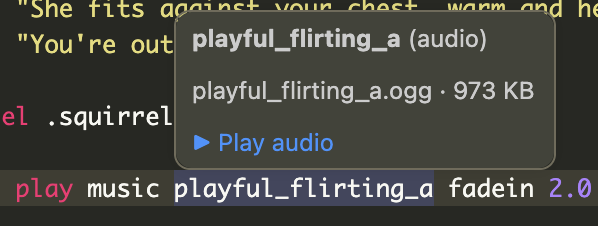
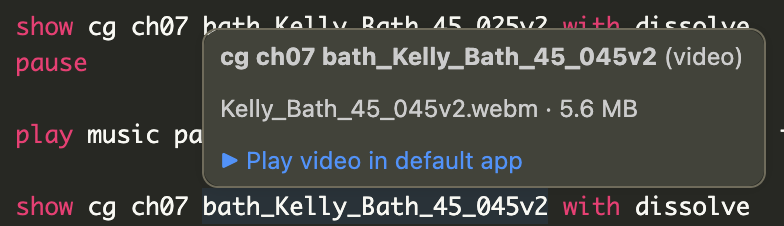
Audio & video preview
Hover over play music|sound|voice|audio <name> (or queue ...) statements, or over the <name> part of a define audio.<name> = "..." line, to see the resolved file with a play link. Audio opens in VS Code's built-in player; video opens in the OS's default app, since VS Code's viewer can't decode WebM and other Ren'Py-friendly formats.
🔎 Navigation & Code Intelligence
Go to Symbol (Cmd+Shift+O / Ctrl+Shift+O)
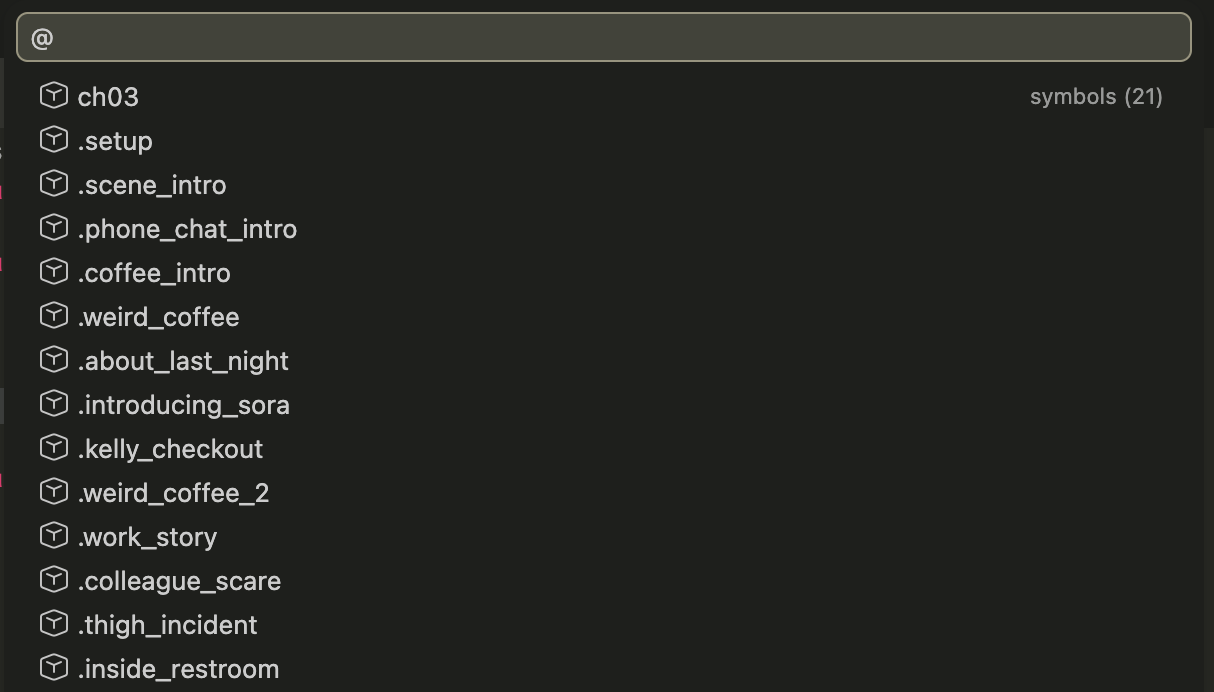
Jump to:
- Labels (including local labels like
.label) - Screens
- Transforms
- Images
- Styles, defines, defaults, layeredimages
Workspace Symbol Search (Cmd+T / Ctrl+T)
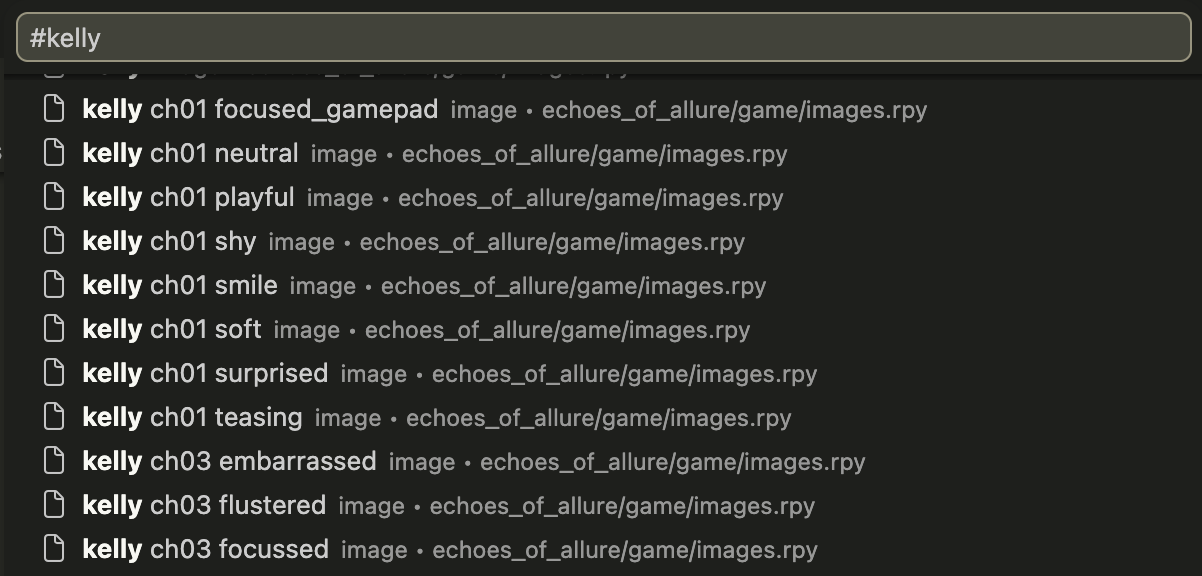
Search across all .rpy files:
- Labels, screens, images
- Python functions and classes
Go to Definition (F12)
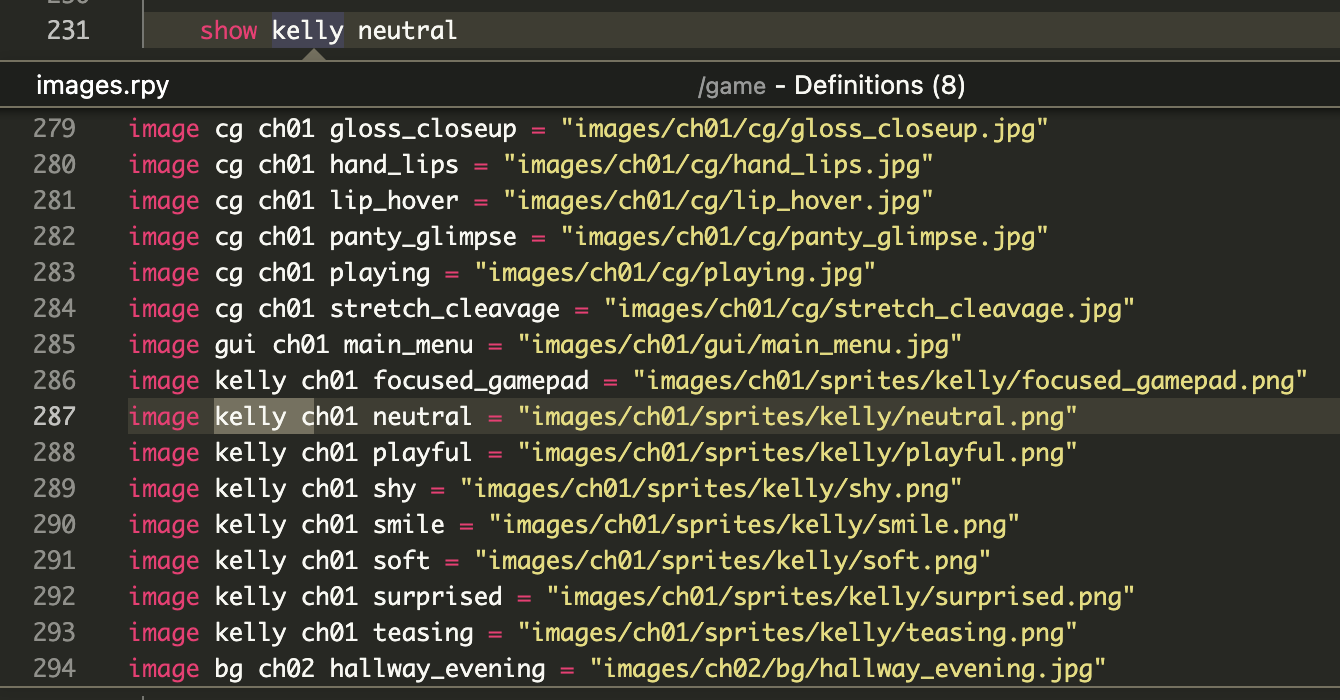
Navigate directly to definitions of:
- Labels (
jump,call) - Screens (
show screen,call screen,use) - Images (
show,scene,hide) - Transforms and variables
✔ Handles Ren’Py’s flexible image naming (space-separated names)
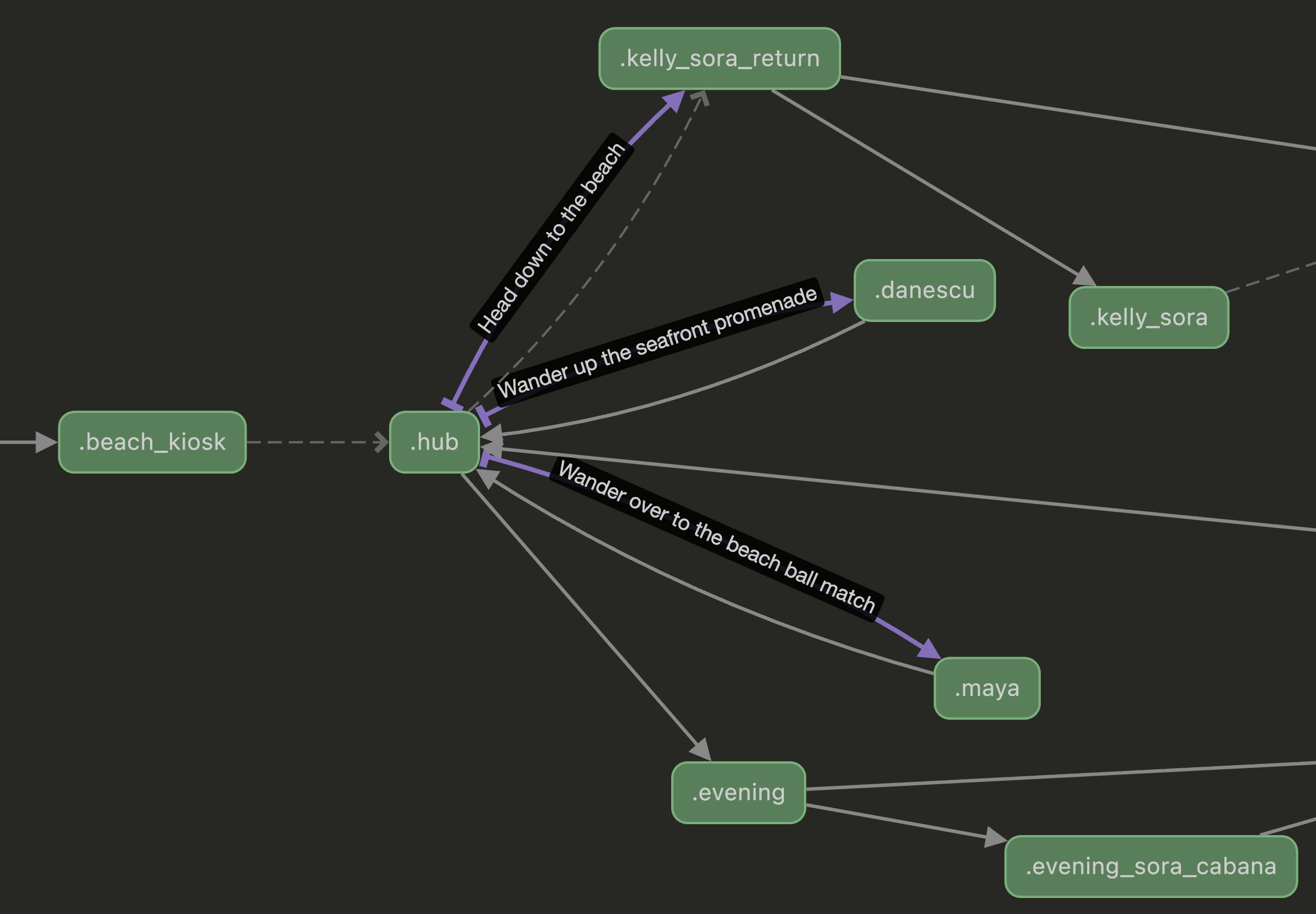
Label Graph
Visualize the control flow of the current file — a click-to-navigate graph of every label plus the jump, menu-choice, and implicit fall-through edges connecting them. Useful for eyeballing chapter structure, spotting unreachable labels, and remembering which choices lead where.
Run Ren'Py: Show Label Graph from the command palette (or right-click a .rpy file). The graph opens in a side tab; drag it to a new window to give it more room.
Call Hierarchy (Shift+Alt+H)
Put the cursor on a label definition — or on a jump/call reference — and open the Call Hierarchy view. See at a glance who calls into that label from anywhere in the workspace, and where it jumps or calls out to. Works for local labels too, scoped to their file.
🔁 Refactoring Tools
Find All References (Shift+F12)
- Locate all usages of labels, screens, images, and variables
Rename Symbol (F2)
- Rename labels, screens, and variables
- Automatically updates all references across the workspace
⚡ Intelligent Completions
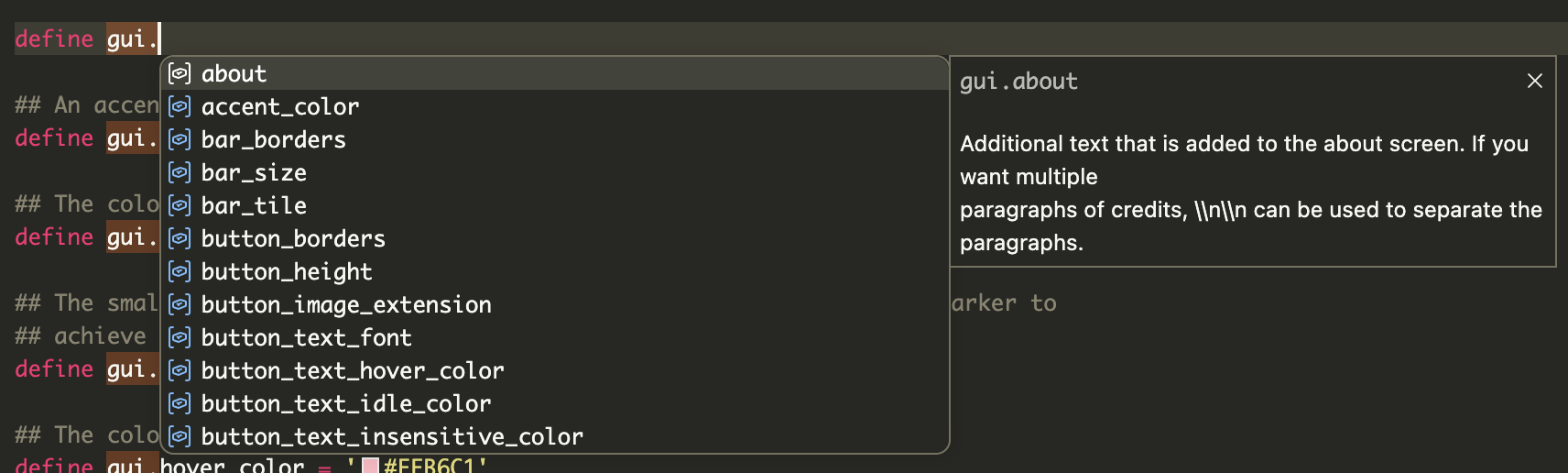
Context-aware suggestions for:
- Ren’Py keywords and statements (eg.
config.,gui., orbuild.) - ATL syntax
- Transform and style properties
- Screen properties and
style_prefixvalues - Transitions (after
with) - Labels and screens in relevant contexts
- Built-in Ren’Py API
- Image tags and attributes on
show/scene/hide(e.g. aftershow kelly_casual, you getsmile,teasing, etc.), plus clause arguments (at <transform>,behind <tag>,onlayer <layer>) - Audio names defined via
define audio.<name>afterplay/queue/stop music|sound|voice|audio
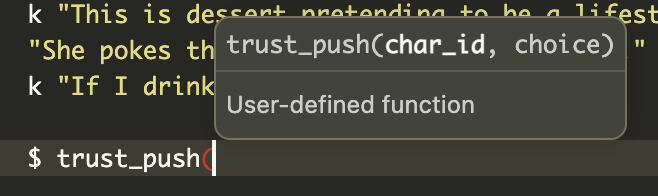
✍️ Signature Help
Inline parameter hints for 60+ functions, including:
- Transitions:
Dissolve(),Fade(),ImageDissolve() - Displayables:
Character(),Transform(),Text() - Actions:
Jump(),Call(),SetVariable() renpy.*APIs (renpy.pause(),renpy.show(), etc.)- Audio APIs:
renpy.music.*,renpy.sound.* - Image tools:
im.Composite(),LiveComposite()
⚠️ Diagnostics

Real-time feedback with:
Warnings
- Undefined labels (
jump,call) - Undefined local labels (
.label) - Missing screens (
call screen,show screen,use)
Errors
- Mismatched quotes (including triple-quoted strings)
🛠 Development
git clone https://github.com/adiffx/renpy-magic.git
cd renpy-magic
npm install
npm run compile
Then press F5 in VS Code to launch the Extension Development Host.
Running Tests
npm test
Updating API Data
npm run fetch-api
npm run compile
This pulls documentation from Ren’Py source and RST files, generating:
src/server/renpy-api.json
⚙️ Settings
| Setting | Default | Description |
|---|---|---|
renpyMagic.diagnostics.warnUndefinedImages |
false |
Warn when show/scene references an image not defined in code. Disabled by default because images are often defined as files rather than in code. |
renpyMagic.renpySdkPath |
"" |
Path to the Ren'Py SDK folder. When set, enables native Ren'Py lint for more accurate error detection. |
renpyMagic.lint.enabled |
false |
Enable native Ren'Py lint integration. Requires renpySdkPath to be set. |
renpyMagic.lint.onSave |
true |
Run Ren'Py lint automatically on file save. |
Native Ren'Py Lint (Optional)
For more accurate error detection, you can enable native Ren'Py lint integration:
- Download the Ren'Py SDK
- Set
renpyMagic.renpySdkPathto the SDK folder path (e.g.,/Applications/renpy-8.3.0-sdk) - Enable
renpyMagic.lint.enabled
When enabled, the extension will run Ren'Py's native lint tool on save, providing errors and warnings from the actual compiler alongside the built-in diagnostics.
⚠️ Known Limitations
- Embedded Python does not use a full Python language server
- Image validation only covers code-defined images (enable
warnUndefinedImagesto check) - Local labels are validated per file (not across files)
- Native lint requires the Ren'Py SDK and may take a few seconds to run on large projects
📋 Requirements
- VS Code 1.75.0+
- (Optional) Ren'Py SDK for native lint integration
📄 License
MIT